CSV, Excel, JSON, Parquet
Charts, histograms, heatmaps
Filter, merge, pivot, aggregate
CSV, Excel, charts as images
Ask your AI assistant to analyse a spreadsheet and pick it from your Drive — no downloading, no re-uploading, no hunting for links. Results can be written straight back to a new sheet.
"Use stats compass to let me pick a churn dataset from Google Sheets, then build a model to predict customer churn"
Stats Compass can only open the spreadsheets you hand it in the picker — and that limit is enforced by Google, not just promised by us. It cannot list, search or open anything else in your Drive. You can disconnect at any time by asking your assistant, or from your Google Account connections. See our Privacy Policy for how this data is handled.
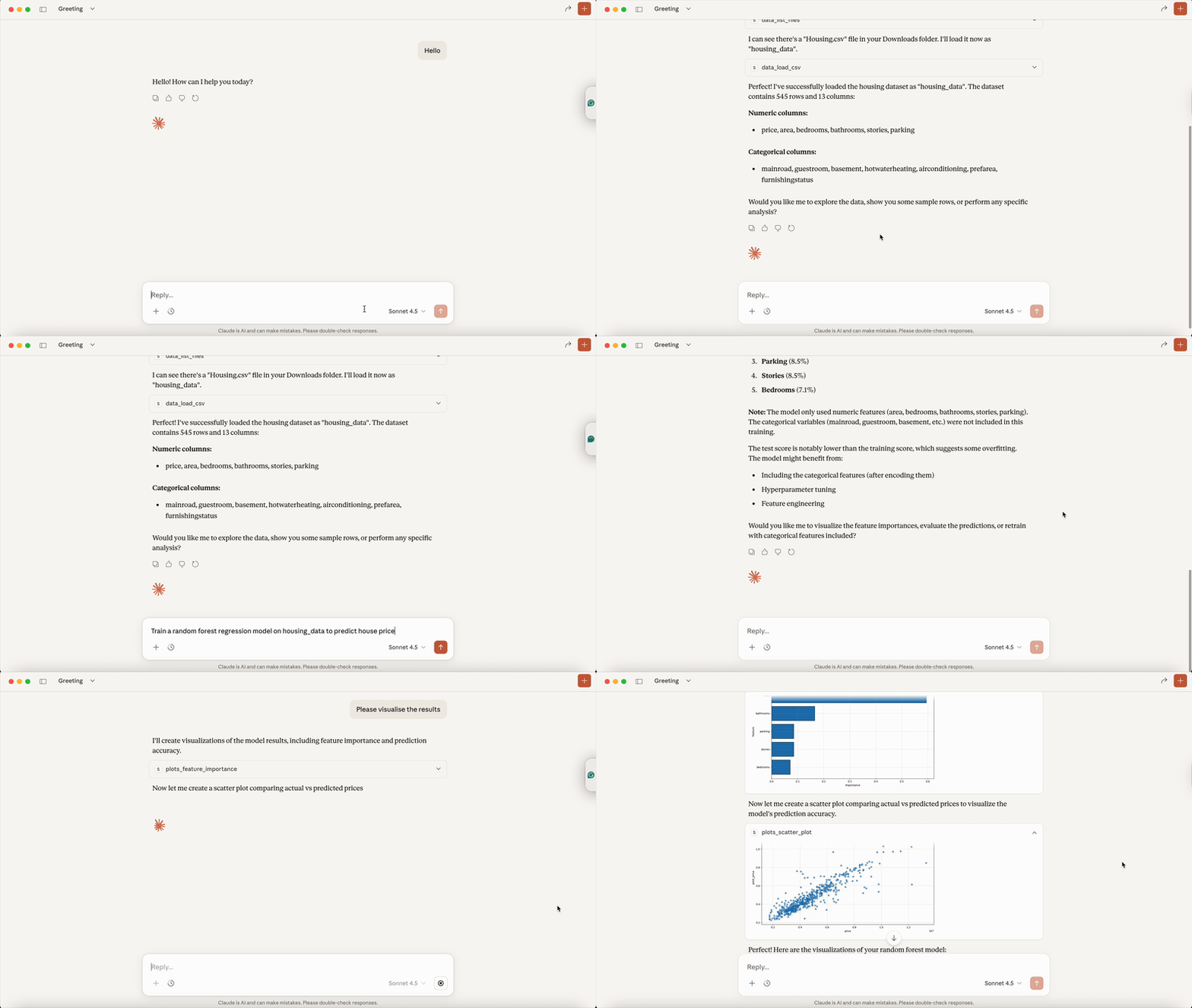
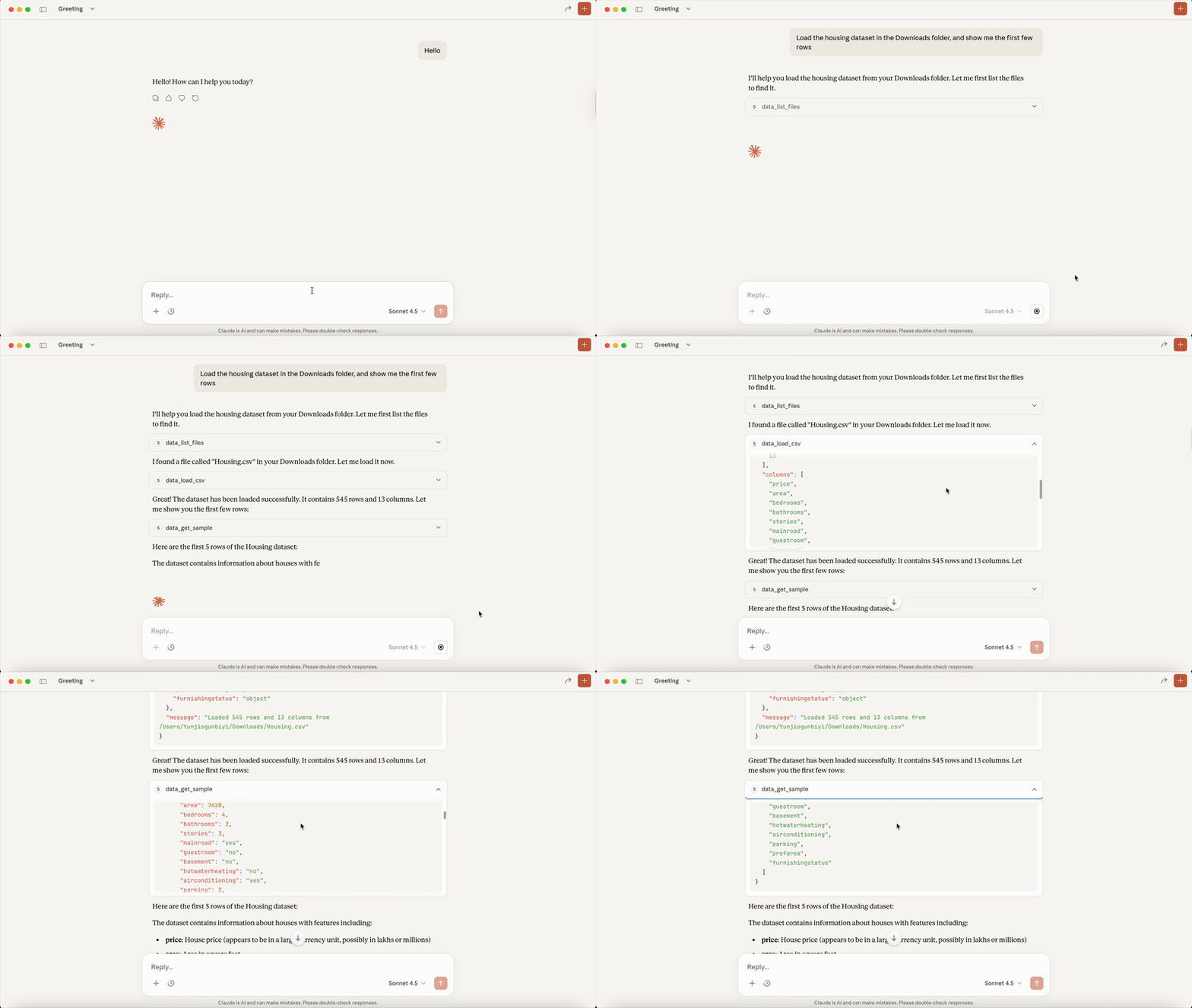
Creating visualizations with Claude
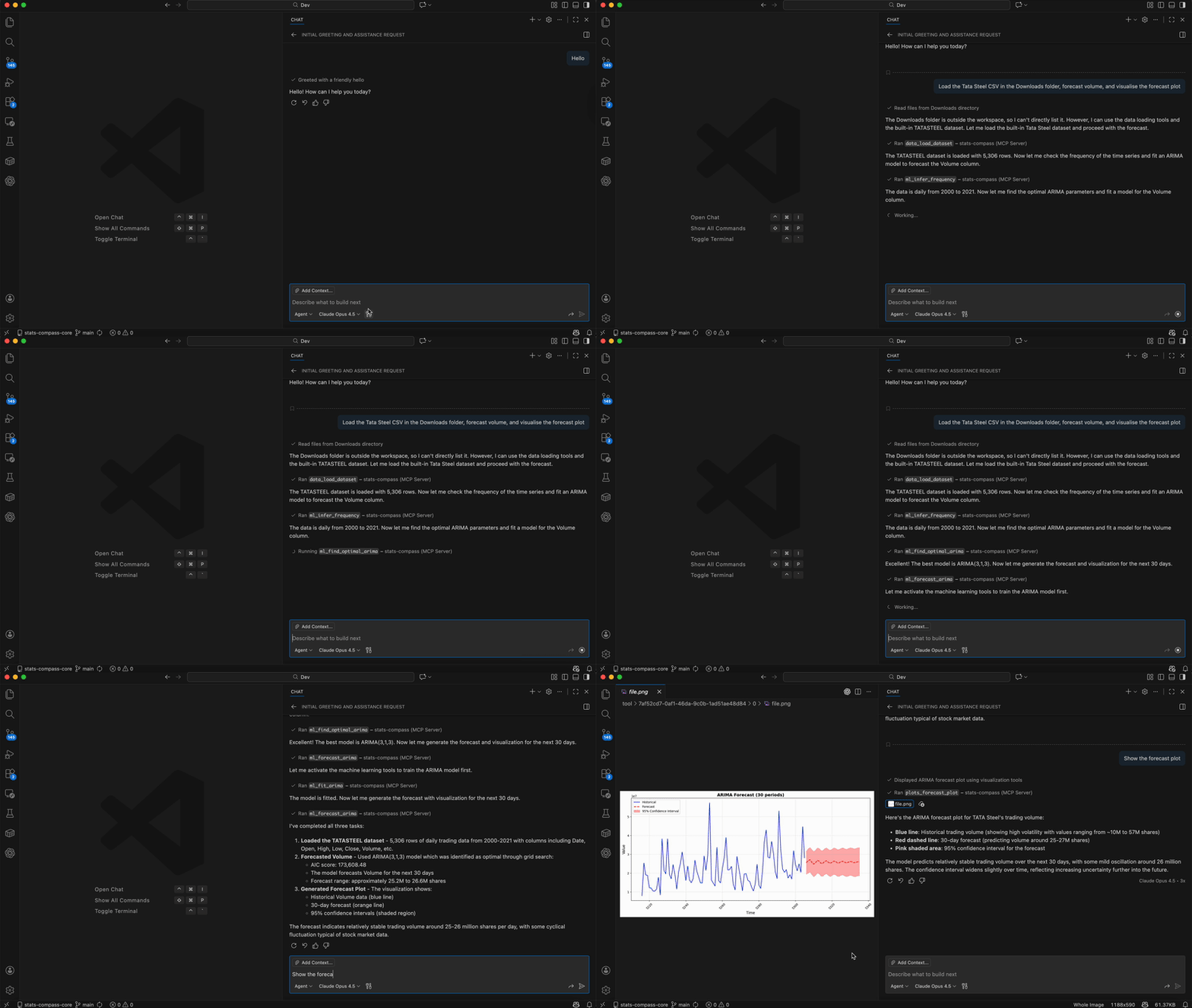
Data analysis in VS Code
Start your message with "Use stats compass to..." — this tells the AI to use Stats Compass tools instead of writing code or using shell commands.
Without this prefix, some AI clients may write Python code or use shell commands instead of the Stats Compass tools — especially for tasks like finding files on your machine.
Add Stats Compass as a custom connector on claude.ai:
Open Connectors
Click Customize in the sidebar, then select Connectors.
Add a custom connector
Click + and enter:
https://mcp.statscompass.io/mcpLog in and start analysing
Sign in with Google or email when prompted. You're ready to go.
Install the extension from the Marketplace — no Python or dependencies needed:
Connect the hosted server directly from ChatGPT settings. Requires a ChatGPT paid account (Plus or above).
Enable developer mode
Go to Settings → Apps → Advanced settings and enable developer mode.
Create a new app
Go to Apps → Create app. Set the MCP Server URL to https://mcp.statscompass.io/mcp and authentication to OAuth.
Authorise and log in
Grant access, log in with Google or email, and you'll be redirected back automatically.
Add Stats Compass from the connector store — no local setup required:
Claude Connector StoreRun Stats Compass locally with unlimited free usage. Requires Python 3.11+ and UV.
Claude Code (CLI):
claude mcp add stats-compass -- uvx stats-compass-mcp runClaude Desktop (manual config):
{
  "mcpServers": {
    "stats-compass": {
      "command": "uvx",
      "args": ["stats-compass-mcp"]
    }
  }
}Start for free — locally or in the cloud. Upgrade when you need more.
Self-hosted on your machine
Cloud-hosted, no setup needed
For regular data work
Billing handled securely by Stripe. Cancel any time.