Stats Compass logo
50+ Data Tools
For Your
AI Assistant.
Stats Compass MCP connects Claude, ChatGPT, and VS Code to powerful data analysis tools via the Model Context Protocol. Load CSVs, create visualizations, transform data, and export results - all through natural conversation.

Works with

Claude Desktop VS Code ChatGPT
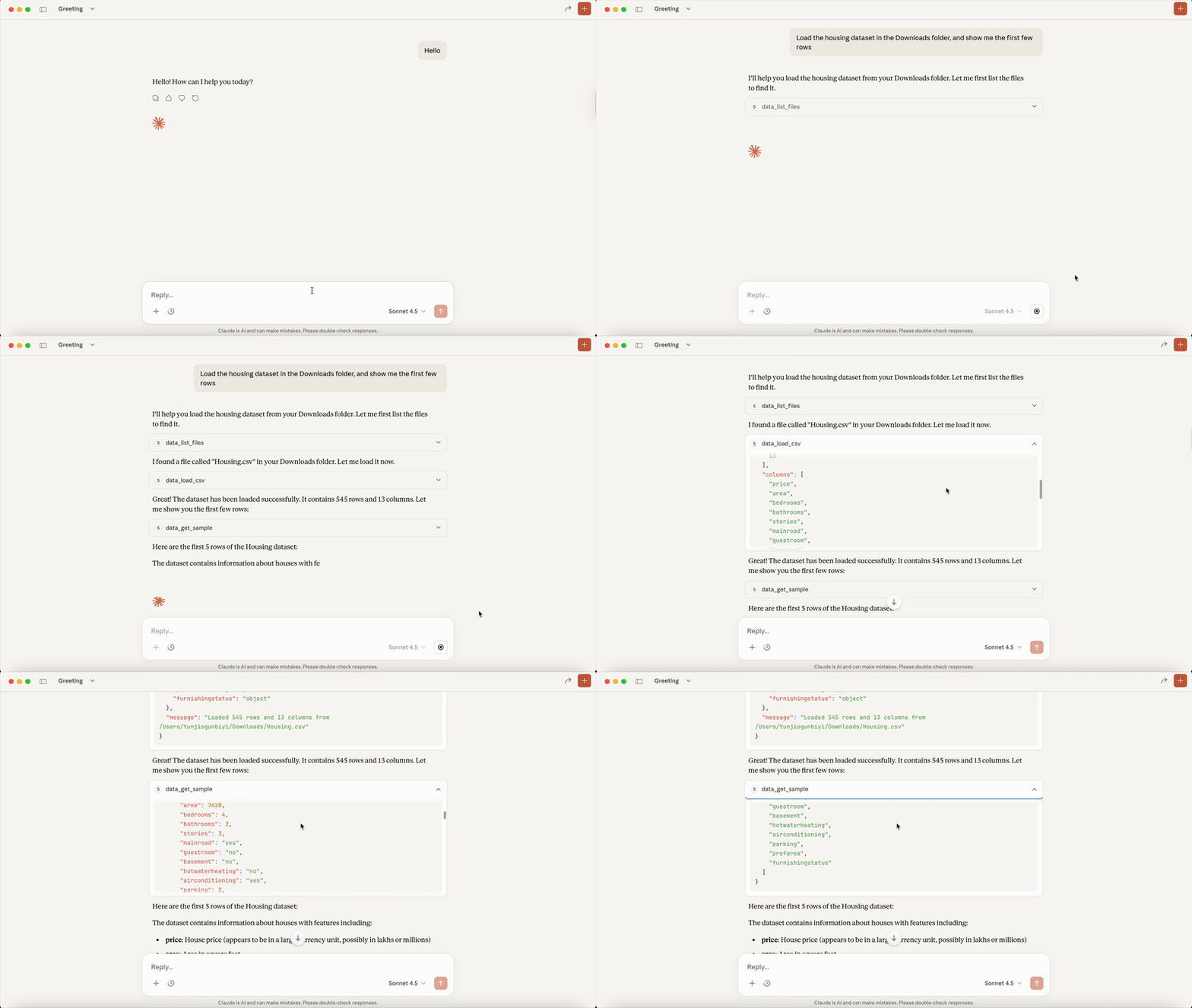
Stats Compass MCP demo with Claude

Data analysis through natural conversation

Load Data

CSV, Excel, JSON, Parquet

Visualize

Charts, histograms, heatmaps

Transform

Filter, merge, pivot, aggregate

Export

CSV, Excel, charts as images

What is MCP?

The Model Context Protocol (MCP) is an open standard that lets AI assistants connect to external tools and data sources. Stats Compass MCP exposes 50+ data analysis tools that Claude, ChatGPT, and other AI assistants can use directly - no coding required from you.

50+ Tools at Your AI's Fingertips

Data Loading

Load CSV, Excel, JSON, and Parquet files. Get instant summaries, column info, and data type detection. Works with local files or URLs.

Visualization

Create line charts, bar charts, scatter plots, histograms, box plots, heatmaps, and more. Export as PNG or SVG.

Data Transformation

Filter rows, select columns, merge datasets, pivot tables, group and aggregate, handle missing values, and more.

See It In Action

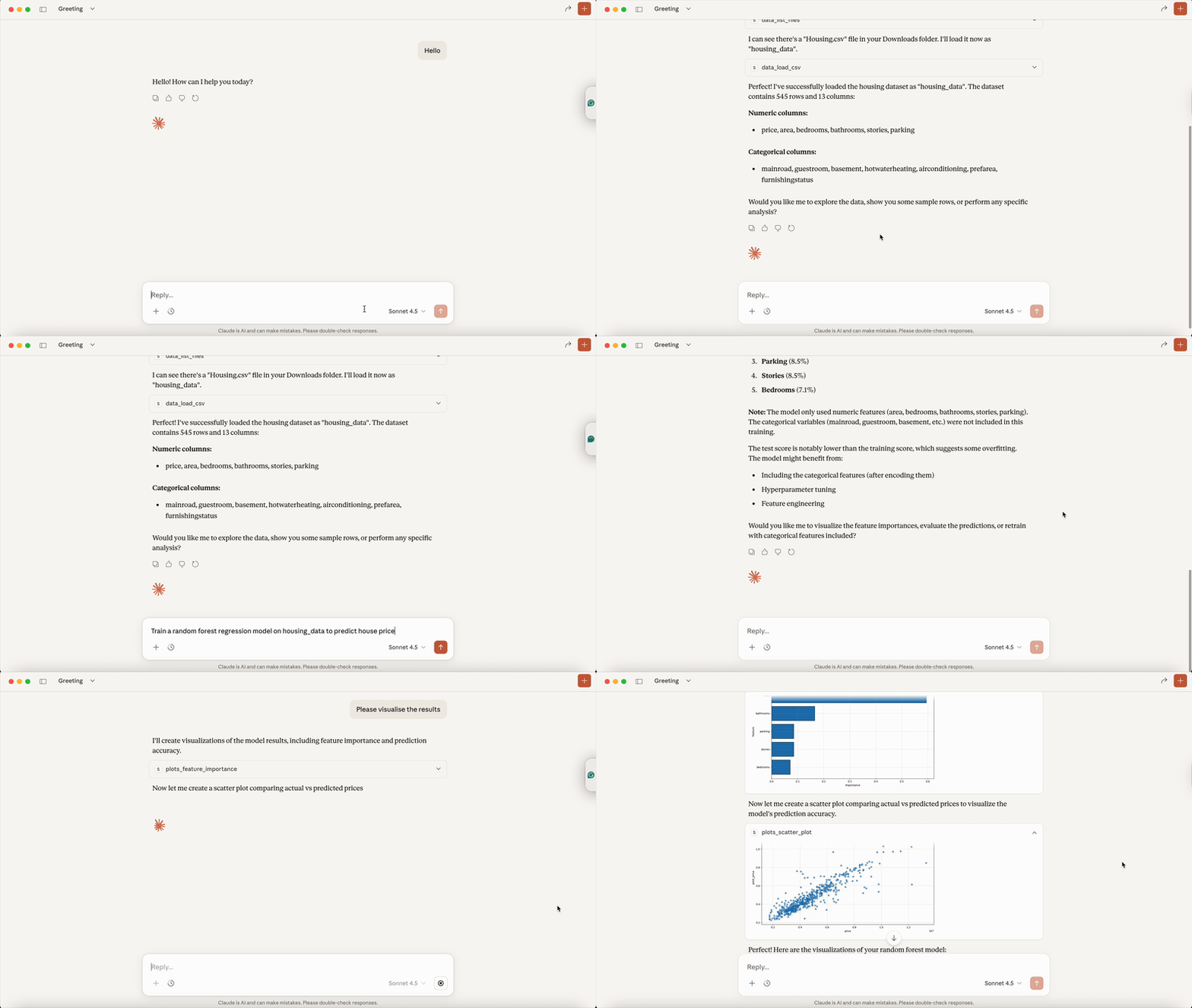
Data visualization demo

Creating visualizations with Claude

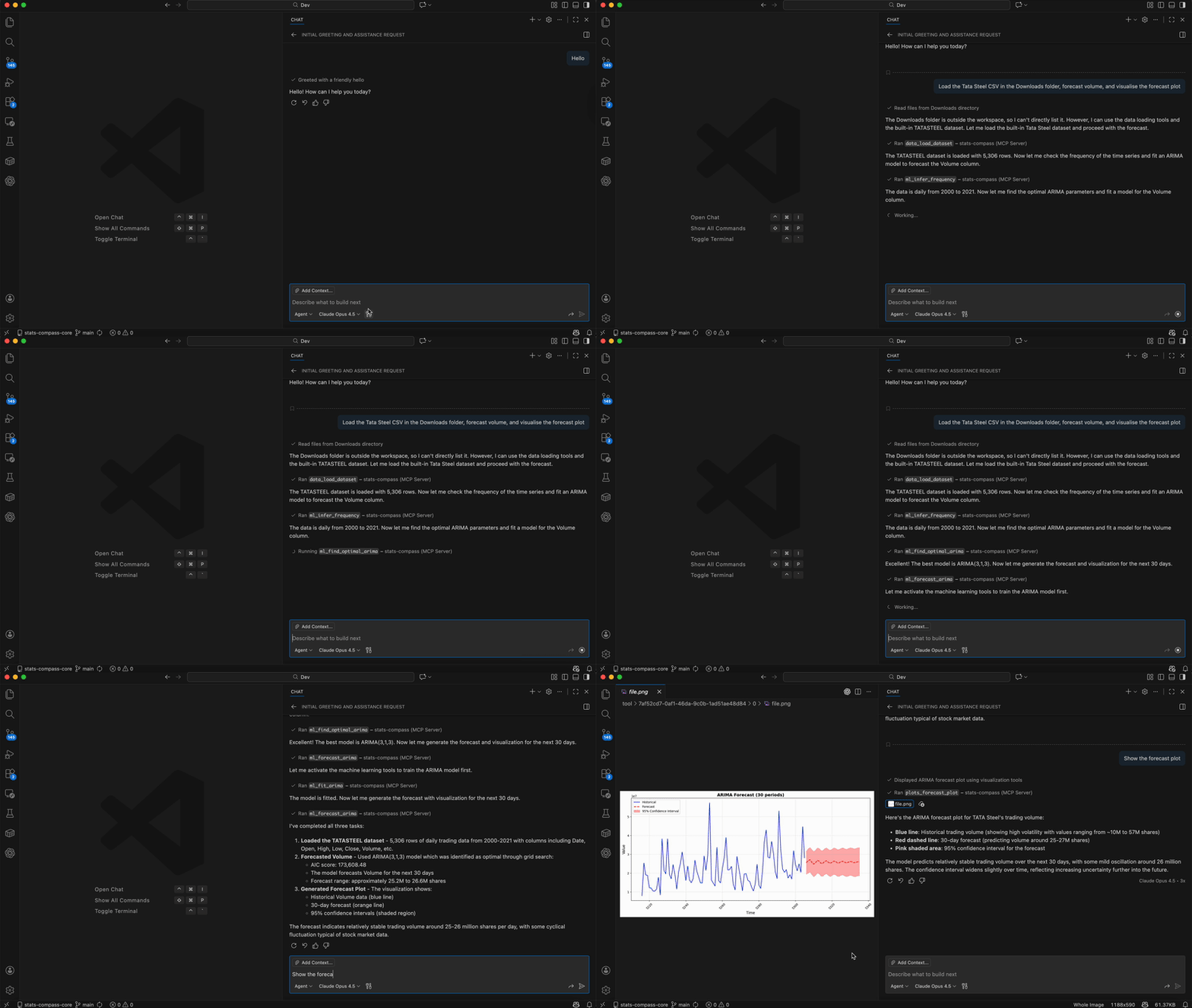
VS Code integration demo

Data analysis in VS Code

Get Started in 2 Minutes

Option 1: Claude Desktop

Add to your claude_desktop_config.json:

{
  "mcpServers": {
    "stats-compass": {
      "command": "uvx",
      "args": ["stats-compass-mcp"]
    }
  }
}

Option 2: VS Code

Add to your VS Code settings.json:

{
  "mcp": {
    "servers": {
      "stats-compass": {
        "command": "uvx",
        "args": ["stats-compass-mcp"]
      }
    }
  }
}

Option 3: Claude Code (CLI)

Run this command in your terminal:

claude mcp add stats-compass -- uvx stats-compass-mcp run
Full Documentation →